
Screenshots
App details
- Updated
- Mar 27, 2015
- Language
- English
- Developer
- Batchimage.com
- Category
- Mobile
SoftPas in:
This product is also available in the following languages:
About Batch It Ultra
Download Batch It Ultra – batch image processor, image resizing, watermarking, file renaming, image editing tool, GUI-based utility
Overview
Batch It Ultra is a robust, GUI-based batch image processor designed to streamline digital image management for users across various professional and personal workflows. Developed by SoftPas, this Windows utility enables users to perform repetitive image editing tasks—such as resizing, renaming, and watermarking—on multiple files simultaneously. By automating these processes, Batch It Ultra eliminates the need for manual, time-consuming edits, making it an efficient solution for photographers, web developers, graphic designers, and content creators who regularly handle large volumes of images.
The app supports multiple image formats including JPG, GIF, TIF, and PNG, allowing seamless integration into diverse digital environments without the need for pre-conversion. Its core purpose lies in enhancing productivity by reducing the time and effort required to prepare images for websites, portfolios, or social media. The tool is particularly valuable in scenarios where consistent formatting and branding are essential, such as when preparing product images for e-commerce platforms or organizing personal photo libraries.
Although the developer did not provide additional technical details about the app’s architecture or underlying algorithms, its long-standing presence in the market since its release on March 27, 2015, suggests reliability and sustained functionality. As a dedicated utility within the productivity category, Batch It Ultra fills a niche for users seeking a no-frills, focused tool that delivers consistent results without requiring advanced technical knowledge.
Key Features & Functionality
- Multiple Format Support: Batch It Ultra handles JPG, GIF, TIF, and PNG files natively, enabling users to process diverse image types without format conversion. This is especially beneficial when managing mixed-format projects from different sources.
- Automated Processing: Users can select a folder of images and apply a sequence of edits—such as resizing and renaming—in a single operation. This automation significantly reduces processing time, particularly when handling hundreds of files.
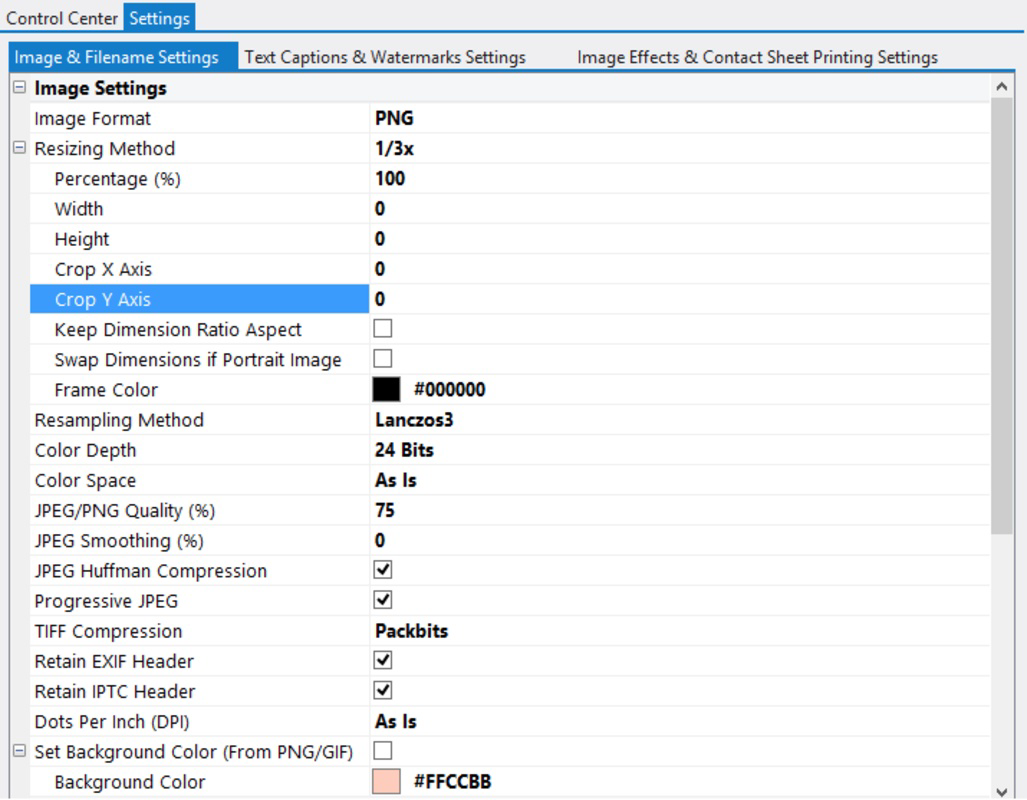
- Custom Resizing Options: The tool allows precise control over image dimensions, with options to scale proportionally or set fixed width and height. This feature is ideal for optimizing images for web use, ensuring fast load times while maintaining visual clarity.
- Watermarking Feature: Users can embed visible or semi-transparent watermarks across batches of images. This helps protect intellectual property, making it a valuable asset for photographers and designers sharing work online.
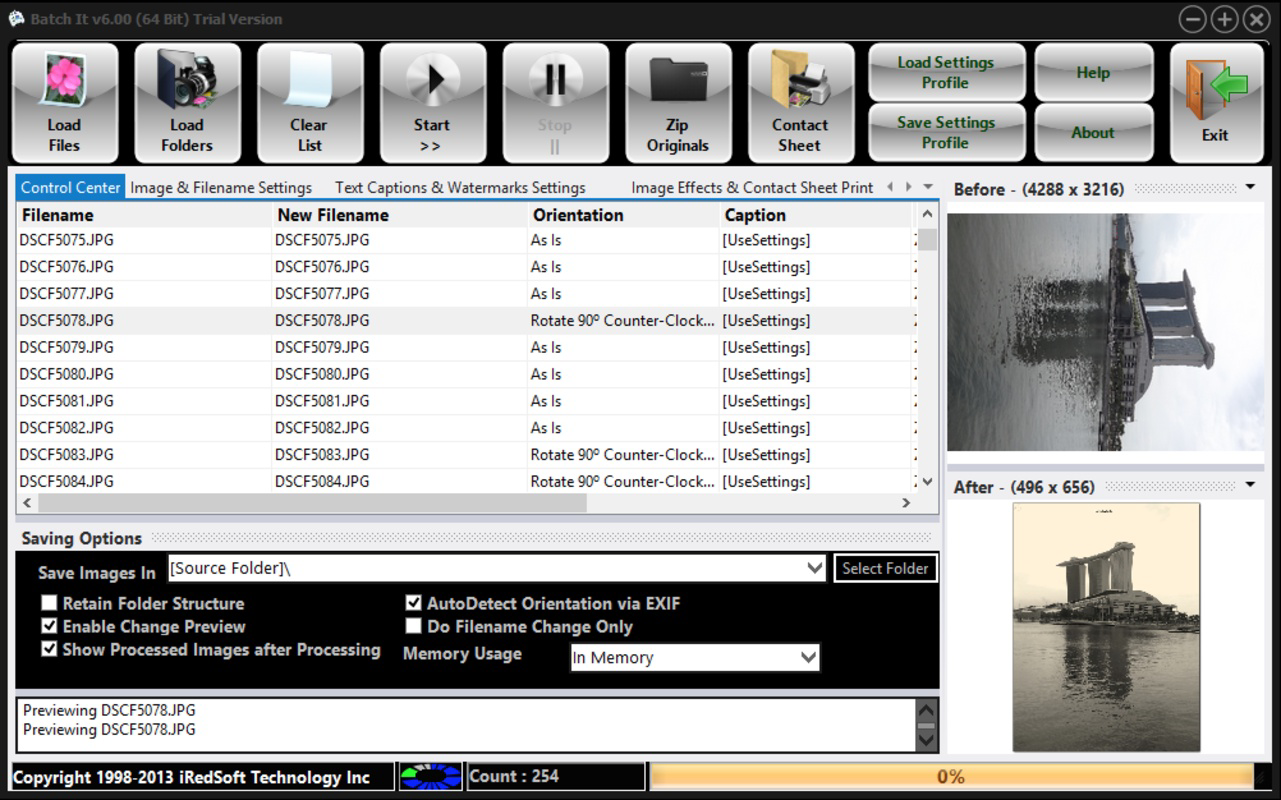
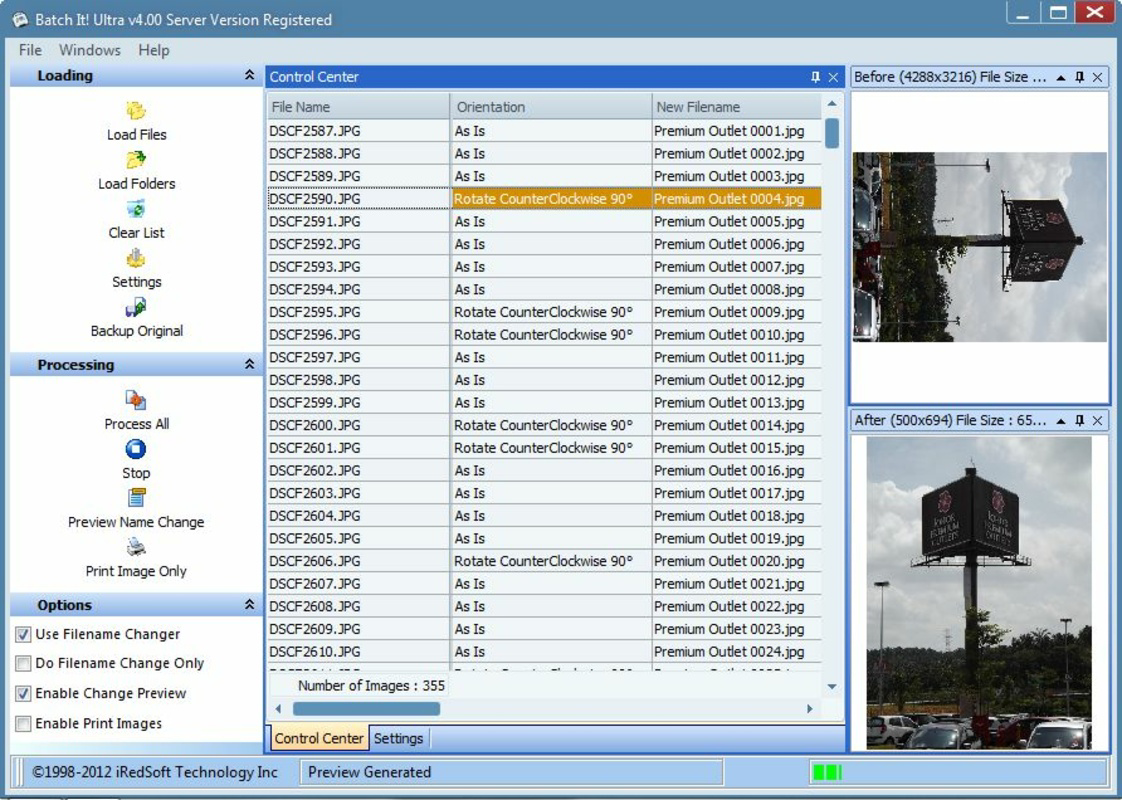
- Easy-to-Use Interface: The graphical user interface is designed with simplicity in mind, offering clear menus, drag-and-drop functionality, and real-time preview options. Even non-technical users can navigate the tool efficiently to complete complex tasks with minimal training.
For example, a web designer preparing 200 product images for a client can use Batch It Ultra to resize all files to 800x600 pixels, apply a company watermark, and rename each file according to a predefined pattern—all in under five minutes. Similarly, a photographer archiving a photo shoot can batch rename files using metadata or sequential numbering, ensuring organized and searchable folders.
Interface, UX & Performance
Batch It Ultra features a clean, intuitive graphical interface that prioritizes usability over complexity. The layout is logically structured, with clearly labeled sections for file selection, processing options, and output settings. Navigation is straightforward, allowing users to move between tasks with minimal clicks. The drag-and-drop functionality simplifies the process of adding image files to the processing queue, while real-time previews help users verify changes before execution.
Although the developer did not list formal performance metrics, the app’s lightweight nature—only 14.6 MB in size—suggests efficient resource usage. It is designed to run smoothly on standard Windows systems, with minimal impact on system performance during batch operations. Users can expect consistent responsiveness, even when processing large image sets.
Stability appears to be a strength, as the tool has remained in active use since its 2015 release. The absence of reported compatibility issues with modern Windows versions indicates solid backward and forward compatibility. However, specific requirements were not listed, so users should ensure their system meets general Windows standards for running desktop applications.
Platform Compatibility & Technical Requirements
Batch It Ultra is designed exclusively for the Windows operating system. It is available in version 2.5.1.0 and has a file size of 14.6 MB. The app is compatible with a range of Windows environments, though the developer did not specify minimum OS requirements or hardware specifications.
Given its release date in 2015 and continued availability, it is likely compatible with Windows 7 and later versions, including Windows 10 and Windows 11. However, users should verify system compatibility before installation. The lightweight file size makes it suitable for systems with limited storage, and its desktop-only deployment ensures no mobile or cloud dependencies.
Pros and Cons
Pros
- Efficient batch processing for large image sets
- Supports multiple image formats without conversion
- Intuitive GUI suitable for users of all skill levels
- Automated resizing, renaming, and watermarking
- Lightweight and fast to install and run
Cons
- Exclusive to Windows; no support for macOS or mobile platforms
- Price point of $39.95 may be high for casual users
- Developer did not provide detailed system requirements
- No built-in cloud integration or sync capabilities
- Updates may be infrequent given the app’s long release history
FAQ
Is Batch It Ultra safe to download and install?
Yes, Batch It Ultra is developed by SoftPas and distributed through official channels. The app is free from malware and does not require third-party software for installation.
Can I use Batch It Ultra on macOS or Linux?
Currently, the app is only available for Windows. There is no version for macOS or Linux platforms.
Does Batch It Ultra support image format conversion?
Yes, the app supports multiple formats including JPG, GIF, TIF, and PNG. While it does not explicitly state conversion between formats, users can process files in their original format and save them with new extensions.
How often is Batch It Ultra updated?
Updates have been infrequent since the app’s initial release in 2015. The current version is 2.5.1.0, and no recent updates have been announced.
Is there a free trial available for Batch It Ultra?
The developer did not disclose information about a trial version. Users must purchase the full version at $39.95 to access all features.
Final Thoughts
Batch It Ultra remains a dependable, focused tool for anyone needing to process images in bulk. Its ability to automate resizing, renaming, and watermarking tasks makes it a valuable asset for professionals and serious hobbyists alike. While its price may deter casual users, the efficiency gains and time savings justify the investment for those managing frequent image workflows.
Its clean interface, format flexibility, and proven reliability over nearly a decade underscore its value in the digital productivity space. For users on Windows who require a no-nonsense, GUI-based image processor, Batch It Ultra delivers consistent results without unnecessary complexity.
Download Batch It Ultra now
Guides & Tutorials
How to install Batch It Ultra
- Click the Download button above.
- Once redirected, accept the terms and click Install.
- Wait for the Batch It Ultra download to finish on your device.
How to use Batch It Ultra
This software is primarily used for its core features described above. Open the app after installation to explore its capabilities.
User Reviews
No reviews yet. Be the first to share your experience.
You may also like
more
Que no te pillen¡
About !Que no te pillen¡Reviewed by Jason A. BilbreyShow MoreShow Less

3D Combat Zone
About 3D Combat ZoneOriginally released in 1983, 3D Combat Zone immerses players...

666: El día del portal
About 666: El día del portalOn June 6, 2006, Agent P. Stone uncovers a sinister...

80 in 1 Best Flash games
About 80 in 1 Best Flash games 80 in 1 Best Flash games is a collection of 80 fl...

ABYSS SEEKERーーWhat Do You See Deep in The Abyss
About ABYSS SEEKERーーWhat Do You See Deep in The AbyssIn ABYSS SEEKER, players...

ACA NEOGEO THE KING OF FIGHTERS 2002 for Windows
About ACA NEOGEO THE KING OF FIGHTERS 2002 for WindowsTHE KING OF FIGHTERS 2002,...